
CWHBA Member Info Update
CWHBA MEMBER INFO UPDATE |
We are preparing the next version of the CWHBA Printed Member Directory and Tour of Homes Event Guide, and we want to make sure your business is represented accurately. |
Please take a few minutes to review your member information, update your contact details, and confirm your email subscriptions through Info Hub. |
Step 1. Login and Update Your Contact Information |
Login to the Member Info Hub with the link below and select My Directory Listing(s) from the left-hand menu. If you have not used your member info hub before, you will need to select the "Create One" option and use your company email address. |
|
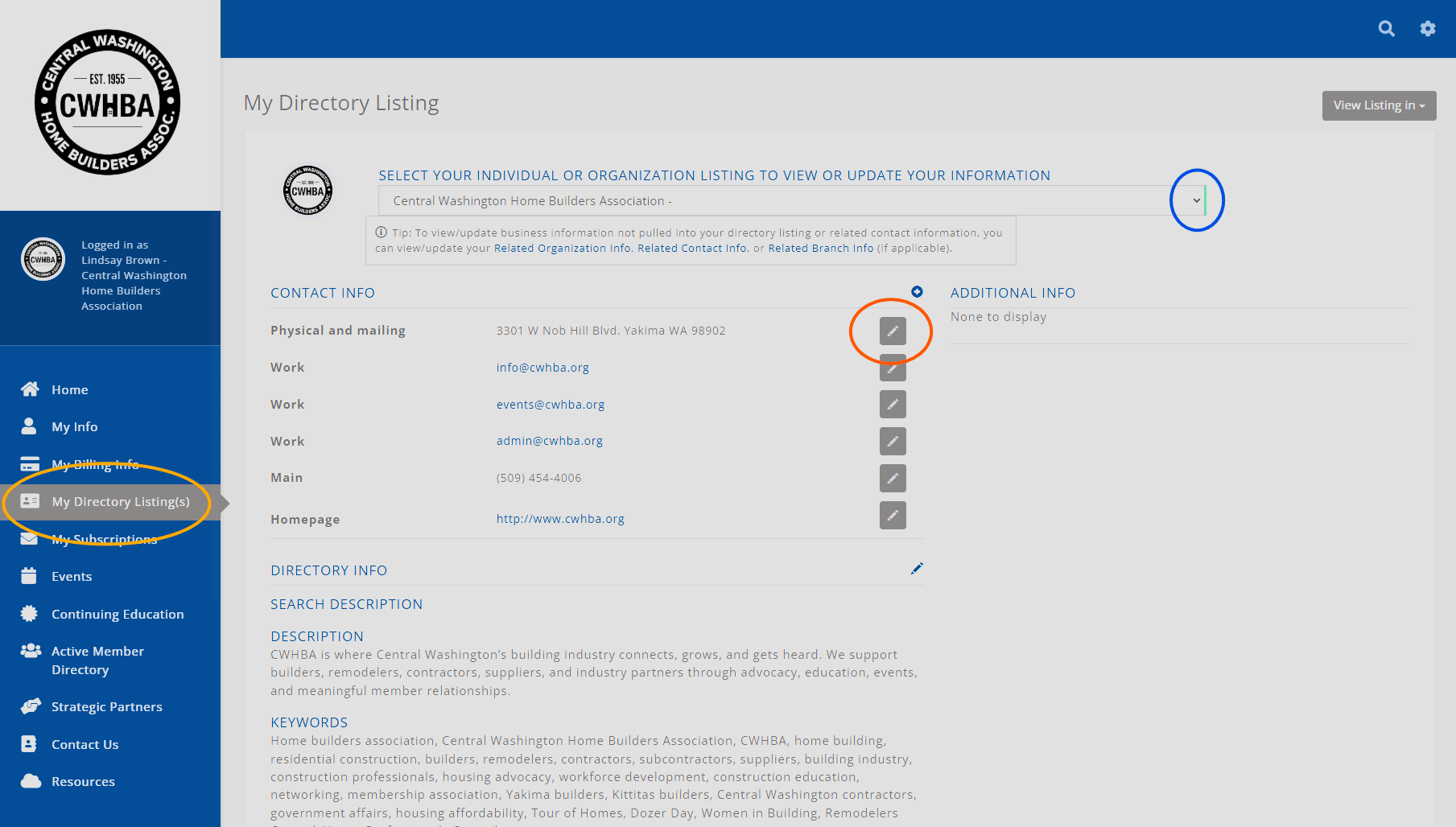
Once logged in, review your business listing and make sure your contact details are current, using the My Directory Listings option on the left hand navigation. Be sure to review all details, including:
|
To update your listing, click the pencil icon next to the section you want to edit. The information listed here may be used for the online member directory, printed or electronic publications, and event-related promotions, so accuracy matters. We want people to find you, not accidentally send them into the internet wilderness. |
Step 2. Review Your Email Subscriptions |
|
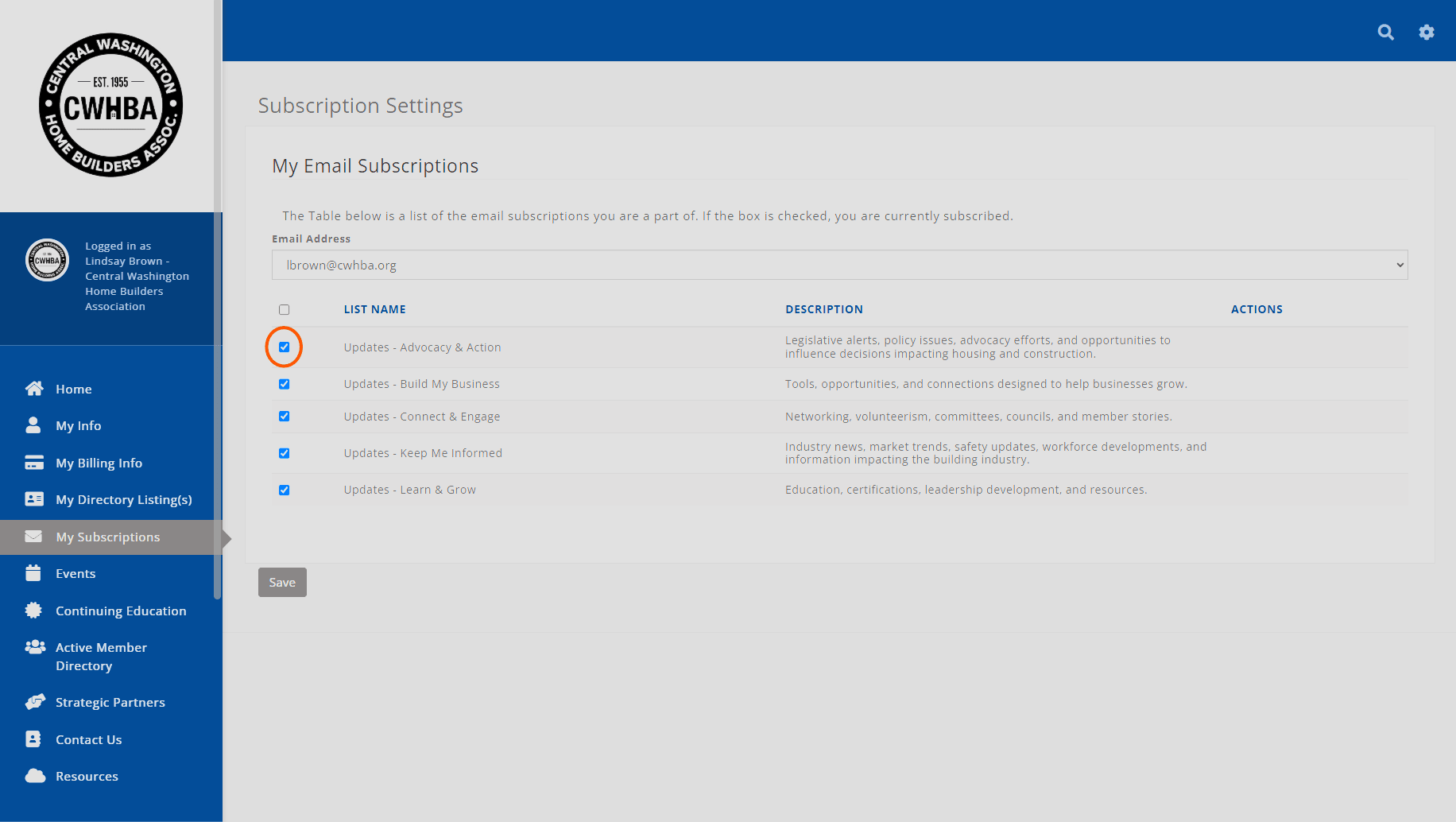
While you are logged in, please also select My Subscriptions from the left-hand menu. Review your email preferences and make sure you are subscribed to the updates you want to receive, including:
When finished, click Save at the bottom of the page. |
3. Review Exclusive Member Benefits in 2026 |
As you update your listing, this is also a good time to review the member benefits available through CWHBA, BIAW, and NAHB. |
Additional Info
Related Links : https://memberships.cwhba.org/ap/EmailViewer/r6y27BbL
Regional Focus : State-Wide